Tenant Management
PG Security Deposit & Move-Out Management: The Complete Guide for Indian PG Owners (2026)
This guide helps PG and hostel owners in India manage tenant move-outs and security deposits without disputes. It covers notice period configuration, the step-by-step checkout workflow, security deposit ledger tracking, damage and rent deductions, refund calculation rules, and how the TrackMyPG tenant portal enables self-service move-out requests. The article explains how purpose-built PG management software eliminates the common problems caused by manual tracking, WhatsApp threads, and spreadsheets.
Ask any PG owner in India what their most stressful tenant interaction is, and the answer is almost always the same: move-out day.
The tenant says the room was in perfect condition. You say there were damages. They want the full deposit back. You say there's two months of unpaid rent to sort first. Nobody has a written record of the original deposit amount. The WhatsApp thread is 400 messages long and proves nothing.
Sound familiar?
Security deposit disputes are one of the biggest operational headaches for PG owners — not because the problems are complicated, but because most owners are managing them without a proper system. A notebook here, a Google Sheet there, a few voice notes on the side. When it's time to settle, everything unravels.
This guide walks through exactly how to run move-outs and security deposits professionally — what the right process looks like, what rules protect you legally and operationally, and how TrackMyPG handles the entire workflow so you're never in a he-said-she-said situation again.
Why Move-Out and Security Deposit Management Breaks Down
Most PG management problems have one root cause: things that should be tracked in one place are scattered across multiple places instead.
When a tenant moves in, the security deposit might be noted in a register. When they pay rent late one month, that's on a WhatsApp message. When there's a repair cost deducted, it's on a handwritten receipt. By the time they're moving out, piecing together the actual balance takes hours — and the tenant is standing at the door asking for their money.
Here's what typically goes wrong without a system:
No clear notice period record. The tenant claims they gave notice on the 1st. You think it was the 10th. Neither of you can prove it.
Unknown deposit balance. You collected ₹15,000 two years ago. Was anything ever deducted? Was it ₹15,000 or ₹18,000? Nobody's sure.
Pending rent slips through. A month of unpaid rent gets forgotten in the move-out rush and you end up losing that money.
Damage claims cause arguments. Without a pre-move-in inventory, any deduction for damage becomes a dispute.
The bed sits vacant. Because checkout isn't properly recorded, occupancy reports are wrong and you don't realise the room is available for new bookings.
A proper PG management software solves all of this by turning a chaotic multi-step process into a structured, auditable workflow.
The Right Way to Handle PG Notice Periods
Before any tenant moves in, your notice period policy should already be configured — not decided on the fly when someone tells you they're leaving.
In most Indian PGs and hostels, the standard is either 30 days or one calendar month. Some owners enforce strict notice tied to the billing cycle (notice must be given before the 5th to avoid the next month's rent). Whatever your policy is, it needs to be:
Communicated to the tenant at the time of joining (ideally in a written agreement)
Stored somewhere both parties can reference
Automatically applied when a tenant gives notice — not manually calculated each time
In TrackMyPG, you configure this once under Settings → Invoice:
Enable or disable notice period enforcement
Set duration (number of days or months)
Choose unit (days vs calendar months)
Once set, when a tenant gives notice — whether from the owner dashboard or through the tenant portal — the system automatically calculates the expected move-out date. No math, no arguments, no "I thought it was 30 days from today."
Tenants can read the notice policy on Portal → PG Info, so they know the rules before they even decide to leave.
Notice Period Settings at a Glance
Setting | Purpose | Suggested Default |
|---|---|---|
Notice period enabled | Auto-calculate expected move-out | On |
Notice duration | Days/months before checkout | 30 days |
Unit | Days or months | Days |
Default security deposit | Pre-fills new tenant invoices | Based on your room rent |
Step-by-Step: The TrackMyPG Move-Out Workflow
A professional checkout isn't a single action — it's a workflow. TrackMyPG breaks it into clearly defined stages so nothing gets skipped.
Stage 1 — Notice Submitted
Move-out can start from two places:
Owner side: Dashboard → Tenants → "Initiate Move Out" on any active tenant, or from the dedicated Move Outs page.
Tenant side: Portal → Move Out → "Request to move out" with notice date, reason, and notes.
Before notice can start, the system checks two things: the tenant must be active (not already moved out), and all invoices must be paid or cleared. If there's pending rent, the notice process is blocked — with a clear message showing exactly which invoices need to be settled first. This single rule prevents the most common move-out problem: tenants leaving with unpaid dues that fall through the cracks.
Stage 2 — Notice Approved
The owner reviews and approves the notice from the Move Outs dashboard. This confirms the expected move-out date. Tenants can track status from their portal — no need to call or message asking "what's happening with my move-out?"
Stage 3 — Settlement Pending
"Prepare settlement" marks the record ready for final checkout. This deliberate step exists so owners can inspect the room, document any damage, and confirm everything before the deposit math happens. You're not forced to complete checkout the same day notice is approved.
Stage 4 — Final Settlement
This is where the security deposit and move-out come together. The owner opens the settlement dialog and enters:
Actual move-out date
Damage charges (if any)
Cleaning charges (if any)
Other deductions (if any)
Optional remarks (stored in the ledger for future reference)
The system shows a live preview:
Current deposit balance
Outstanding invoice total
Total deductions
Refund = deposit balance − all deductions (minimum ₹0)
The refund cannot be negative. If deductions exceed the deposit balance, settlement is blocked with an error — you need to either adjust the charges or collect the shortfall before completing.
Stage 5 — Moved Out
Once settlement is completed:
Deposit ledger is closed with all transactions recorded
Tenant status changes to Moved Out
Bed/room is freed and occupancy updates immediately
Tenant portal access is revoked automatically
The room appears as available for new bookings
No manual steps. No forgetting to update the occupancy tracker. The whole cascade happens in one action.
Tenant Statuses During Move-Out
One thing that makes a huge difference in day-to-day PG management is having clear, accurate tenant status tracking. When half your tenants are in some ambiguous "leaving soon" limbo, your occupancy numbers are wrong and your planning suffers.
TrackMyPG uses five distinct statuses:
Status | Meaning |
|---|---|
Pending | Applied / awaiting owner approval |
Active | Occupying a room |
Notice Period | Move-out initiated; checkout in progress |
Moved Out | Settlement complete; room freed; portal off |
Inactive | Manually deactivated (separate from move-out flow) |
The Move Outs page shows every in-progress checkout with days remaining, expected dates, and quick actions. You always know exactly where each departing tenant stands.
Security Deposit Ledger: Every Rupee Accounted For
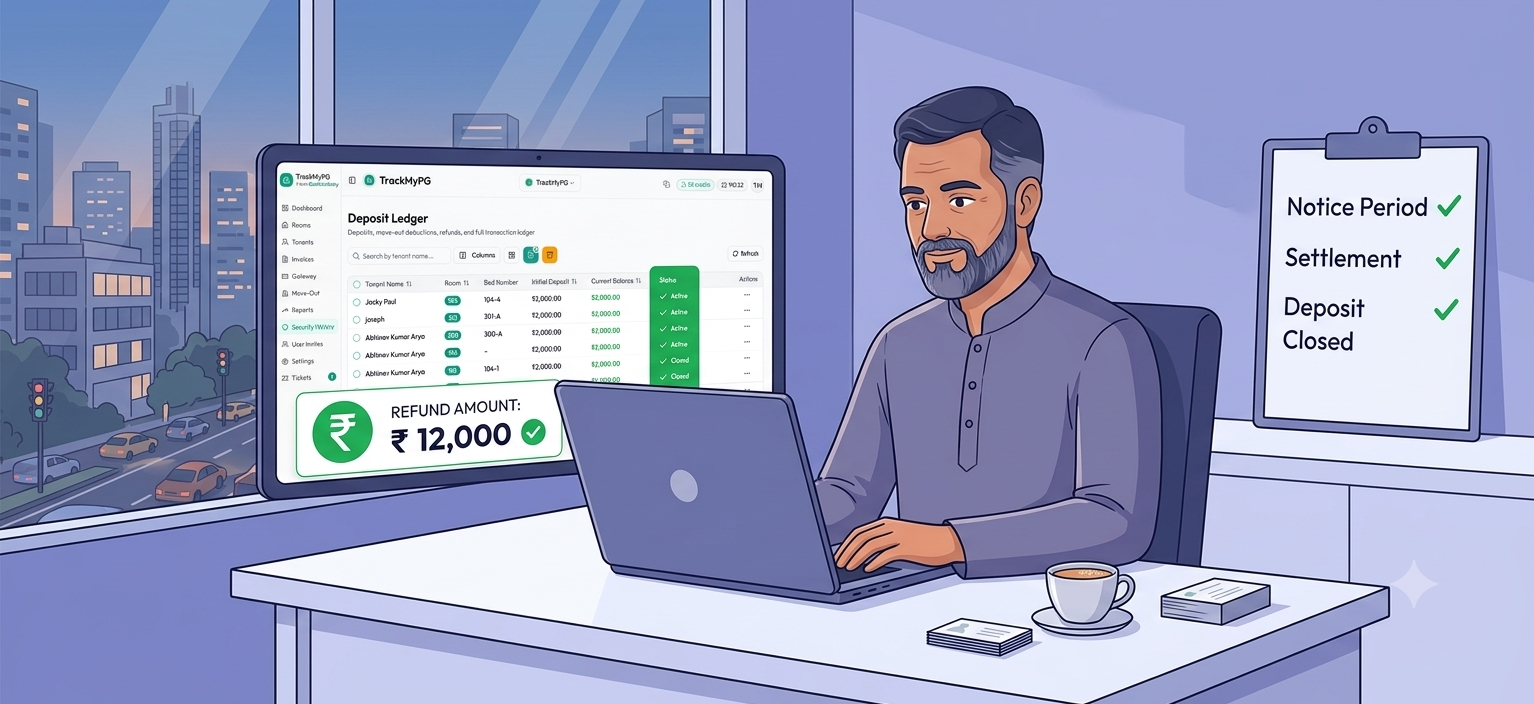
The security deposit ledger in TrackMyPG is a running, timestamped record of every transaction against a tenant's deposit — from the initial collection to the final refund.
Each deposit record tracks:
Initial amount — set when the tenant joins (via first invoice or manual entry)
Current balance — updated after every transaction
Transaction history — every deposit, deduction, and refund with date, type, reason, and notes
Status — Active during the stay; Closed after move-out settlement
Transaction Types
Type | Effect on Balance |
|---|---|
Deposit collected | Increases balance |
Deduction (damage, arrears) | Decreases balance |
Refund (mid-stay or at checkout) | Decreases balance |
Owners can add manual transactions during the stay where needed. The final checkout deductions (rent arrears, damage, cleaning) are handled through the settlement workflow — not as ad-hoc entries — so everything stays tied to the move-out record.
You can access the full ledger under Security History in the sidebar, or from the Tenant Summary page for any individual tenant.
Refund Calculation Rules (No More Disputes)
The refund formula in TrackMyPG is consistent, transparent, and enforced on both the frontend and backend:
Total Deductions = Outstanding Rent + Damage + Cleaning + Other Charges
Refund = Maximum of (₹0, Deposit Balance − Total Deductions)
A few things to note:
Outstanding rent is pulled automatically from unpaid or partially paid invoices at settlement time — you don't manually enter it.
The refund cannot go below ₹0. If deductions are larger than the deposit, checkout is blocked until the owner adjusts charges or collects the shortfall separately.
Every number shown to the owner in the settlement dialog is exactly what gets posted to the ledger.
This means when a tenant asks "why did I only get ₹8,000 back on my ₹15,000 deposit?", you have a complete, time-stamped breakdown: ₹4,500 for three weeks of pending rent, ₹2,000 for AC repair, ₹500 for cleaning. No guesswork, no arguments.
Tenant Portal: Self-Service Move-Out Without Losing Control
One of the biggest time-savers in TrackMyPG is the tenant portal's move-out feature. Instead of tenants messaging you on WhatsApp to "give notice," they can submit a formal request from the portal.
What tenants can do:
Submit a move-out request with notice date, reason, and notes
See the auto-calculated expected move-out date based on your notice policy
Track their move-out status at each stage
View if there are invoice blockers (with links to pay outstanding dues)
What tenants cannot do:
Approve their own notice
Run settlement or enter damage charges
Override the expected move-out date
Submit a request if they have outstanding invoices
This balance is intentional. The tenant gets transparency and self-service convenience. The owner keeps control over approval, damage assessment, and the final settlement.
Once settlement is complete and the tenant is moved out, their portal access is automatically disabled — no manual action required, no risk of them logging in after they've left.
How TrackMyPG Compares to Manual Methods
Let's be direct about what the alternatives actually cost you:
Method | Common Problems |
|---|---|
WhatsApp + register | No audit trail; notice date disputes; deposit balance unknown |
Excel/Google Sheets | Doesn't free beds; no invoice link; manual error-prone |
Generic CRM software | Not built for PG notice periods or deposit settlement logic |
TrackMyPG | Structured workflow, portal self-service, enforced refund math, closed ledger |
The difference isn't just convenience — it's financial protection. Every untracked deduction you can't prove, every deposit dispute you lose, every bed that stays vacant an extra week because checkout wasn't recorded: these have real rupee values. Good hostel management software pays for itself in the disputes it prevents.
Why TrackMyPG Is the Best PG Management Software for Checkout Workflows
Most pg management apps in India treat tenant exit as an afterthought — a checkbox to mark someone inactive. TrackMyPG was designed with the full tenant lifecycle in mind, including checkout.
Here's what makes the difference:
1. Move-out is connected to invoices. You can't start a move-out with pending rent. This single rule prevents the most common post-exit dispute: a tenant who left with two months unpaid.
2. Security deposit is linked to move-out, not separate. The settlement dialog pulls the deposit balance and outstanding invoices together automatically. You're not copying numbers between two different screens.
3. The tenant portal closes the loop. Tenants submit their own notice, track progress, and see exactly what's blocked. This reduces owner workload and creates a paper trail from day one of the checkout process.
4. Occupancy updates automatically. When settlement completes, the bed is freed and your occupancy dashboard reflects reality. You can start marketing the room immediately.
5. The audit trail is permanent. Every transaction on the deposit ledger, every status change, every approval timestamp — it's all there. If a tenant questions the refund six months later, you have the complete record.
For PG owners managing multiple properties or scaling to 50+ beds, this kind of systematic approach to tenant management software isn't optional — it's what separates profitable operations from ones constantly fighting fires.
Common Move-Out Scenarios PG Owners Face
Tenant has unpaid rent from last month — can I start move-out?
No. TrackMyPG blocks move-out (from both owner dashboard and tenant portal) if any invoices are unpaid or partially paid. Clear the outstanding rent first, then initiate notice. This protects you — unpaid rent becomes a formal deduction at settlement rather than a conversation you hope to have later.
Deposit isn't enough to cover damage and pending rent combined.
The settlement dialog will show the refund as ₹0 and block completion. You need to either adjust damage charges downward or collect the shortfall from the tenant directly before completing checkout in TrackMyPG.
Tenant submitted a portal move-out request — what's my next step?
Open the Move Outs page. You'll see the record at "Notice submitted." Review the notice date, approve it when ready, mark settlement pending after room inspection, then run final settlement on the actual vacating day.
We don't take security deposits — does move-out still work?
Yes. The workflow completes normally. Tenant status updates to Moved Out, the bed is freed, portal access is revoked. The system simply skips deposit ledger entries when no active deposit record exists.
Tenant changed their mind and wants to stay.
Cancel the active move-out from the Move Outs page. If the tenant was in notice period, they return to Active status and the leaving date is cleared. The cancelled move-out is logged for reference.
Best Practices for Dispute-Free Move-Outs in 2025
Running a professional PG operation in India today means having systems, not just policies. Here's what works:
Set notice period in Settings before your first tenant moves in. Retroactively adding rules is awkward. Start with clear policy from day one.
Record the security deposit on the first invoice. Don't leave it as a manual entry you'll do "later." Attach it to onboarding so the balance is accurate from the start.
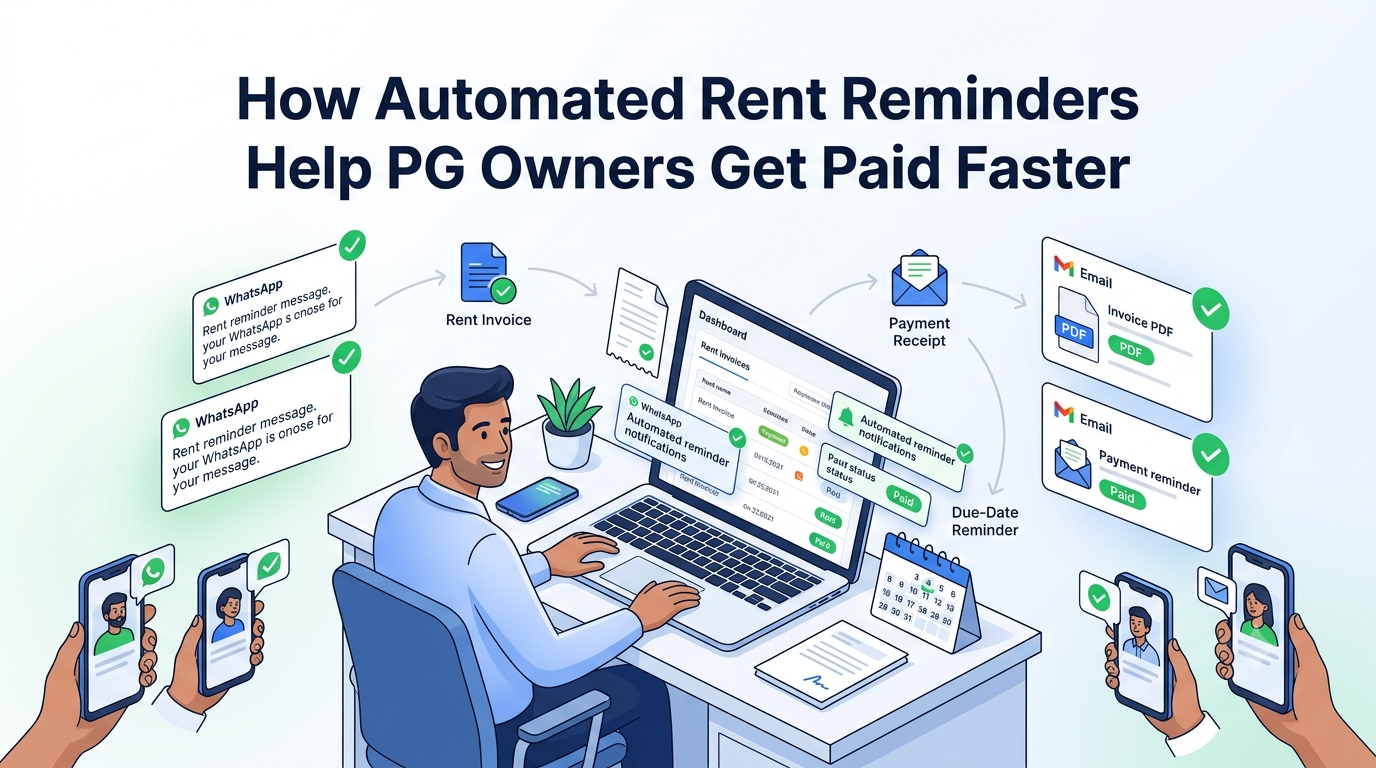
Keep invoices cleared month by month. Move-outs are never blocked by a rent backlog if you manage billing consistently. TrackMyPG's automated reminders help tenants stay current.
Use "Prepare Settlement" after room inspection — not before. Take photos, note damage, talk to the tenant first. Then open the settlement dialog with real numbers.
Add remarks in the settlement dialog. "Damage to bathroom tiles" or "cleaning fee — kitchen grease" — these remarks appear on the ledger transaction. Two years later, it still tells the story.
Share the portal with tenants from day one. When tenants know they can submit a move-out request from the portal, they use it. That means a written record from the tenant themselves, not a he-said-she-said conversation on WhatsApp.
Conclusion
Move-out and security deposit management is where PG operations either work or fall apart. If you're still tracking deposits in a register and settling via WhatsApp, you're taking on unnecessary risk — financial, legal, and relational — with every tenant who leaves.
The right approach is a structured workflow: configure notice period once, let tenants request formally, approve and settle from a single dashboard, and close the deposit ledger with a complete, transparent record of every rupee.
TrackMyPG brings this structure to PG owners across India — whether you're running 10 beds in Pune or 200 in Bangalore. The move-out workflow, security deposit ledger, tenant portal, and occupancy updates are all connected, so checkout day is a process, not a crisis.
Explore TrackMyPG for rent collection, tenant management, move-out workflows, security deposit tracking, and occupancy dashboards built specifically for PG and hostel operators in India.
Frequently Asked Questions
Run your PG smarter, not harder
Collect rent on time, track tenants, and stay on top of every room — without spreadsheets.
Start 7-day Trial for ₹1 →- Rent invoices & payment tracking
- Tenant & room management in one place
- Reports built for PG owners in India
Share this article
Share "PG Security Deposit & Move-Out Management: The Complete Guide for Indian PG Owners (2026)" on social media or copy the link.